 expiry
LESS SEARCHING AT CHECKOUT
Different kinds of cards.
One place to find them.
A discount in your inbox, a voucher in a drawer, a loyalty card in another app. Keep the details you need together in Expiry, without pretending every item works the same way.
For coupons you already have · iPhone
SIX TYPES, DIFFERENT DETAILS
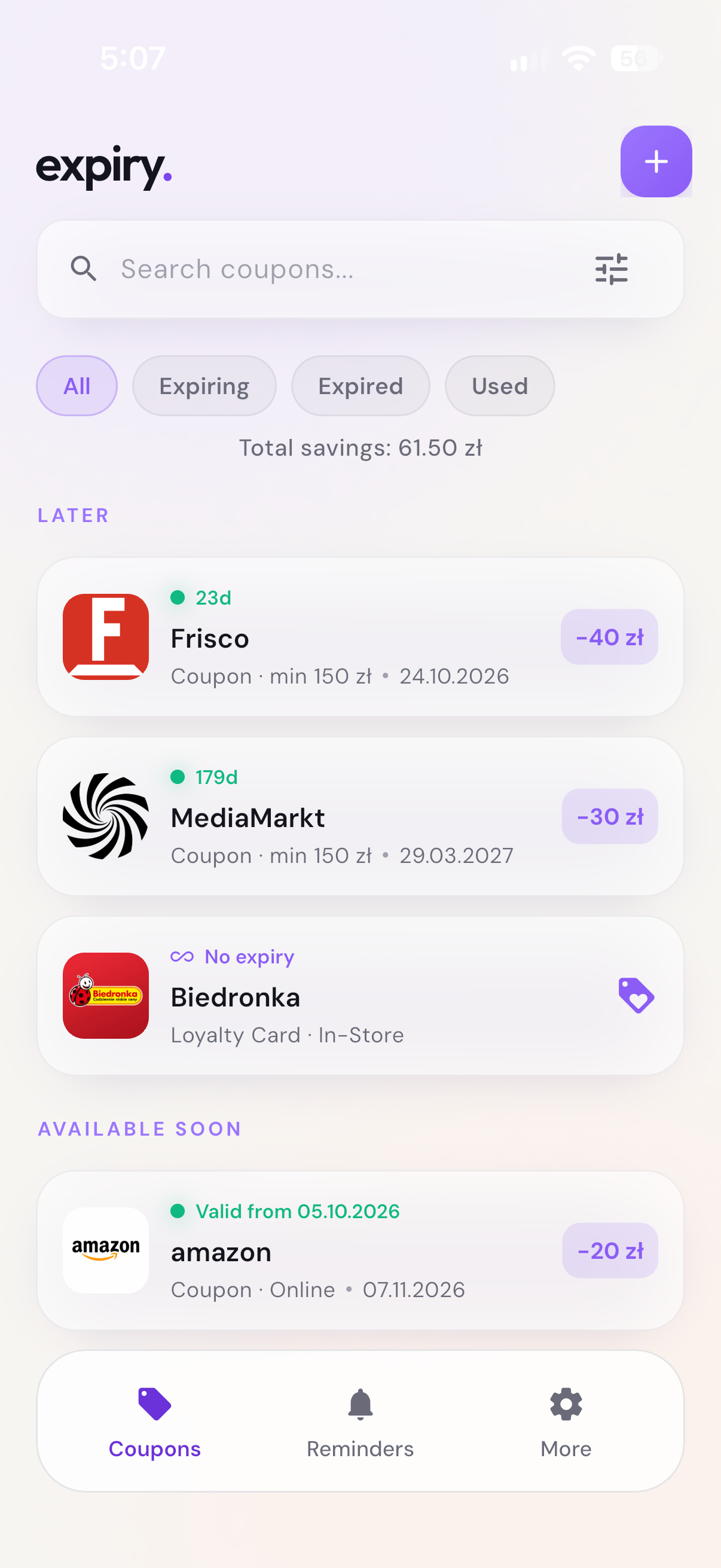
A coupon isn't a gift card.
- Coupon: a discount, with an expiry date and sometimes minimum spend.
- Voucher: a saved entitlement or value, such as a bottle-return voucher; record any stated deadline.
- Gift Card: a card or code from an issuer. A saved value is your record, not a live balance.
- Loyalty Card: a membership identifier or barcode for a retailer's programme; not automatically a discount.
- Membership Card: proof or details of a membership, subject to the issuer's conditions.
- Store Credit: credit issued by a shop, with any relevant restrictions or expiry.
Vouchers, gift cards and store credit can be saved without a value or expiry when those details are not stated. Loyalty and membership cards do not require a discount or expiry date.
BUILD YOUR OWN WALLET
Save only the details you have.
- Open Expiry and tap +. Import a photo, take a photo or add the item manually.
- Choose the correct item type and check the shop name, code, conditions and any expiry date against the original.
- Select the right Currency for amounts and minimum spend. A percentage discount can still have a minimum spend in a specific currency.
- Add useful conditions to Notes, then tap Save.
You can correct the details and currency later by editing the saved item. Currency selection does not convert amounts. Your Default currency is only a fallback when recognition cannot identify one.
A saved photo or code is a convenient reference, not a guarantee of retailer acceptance. This matters especially for paper and bottle-return vouchers.
READY FOR YOUR NEXT SHOP
Search less. Check the terms.
Search your list by shop and use the type filter to narrow it to coupons, vouchers or cards. Short notes appear in the list; open the details for the full text.
Show the saved barcode or QR code at checkout, or use Copy Code for an online offer. Always check the retailer's conditions: a loyalty identifier, discount coupon and gift card may need different checkout steps.
For an item with a deadline, add a reminder in its details. Once an item is used, mark it accordingly to keep your list organized.
Is this Apple Wallet or a payment app?
No. Expiry is a separate app for saving coupon, voucher and card details. It does not add passes to Apple Wallet or let you pay through Apple Pay.
Does Expiry find new offers?
No. It organizes coupons, codes and cards you already have.
Can I store a card with no expiry date?
Yes. Types such as loyalty or membership cards do not require an expiry date. Do not invent a deadline if the issuer has not stated one.
Will it keep a gift card balance up to date?
No. A saved value is not a live retailer balance. Check the remaining amount with the issuer.
Can I throw away my paper voucher after saving it?
Only if the issuer explicitly accepts the digital copy without the original. Saving it in Expiry alone does not establish that.
YOUR COUPON WALLET
Less searching.
More of your coupons in reach.
Get Expiry for iPhone ↗Keep coupons, vouchers and cards in one place.