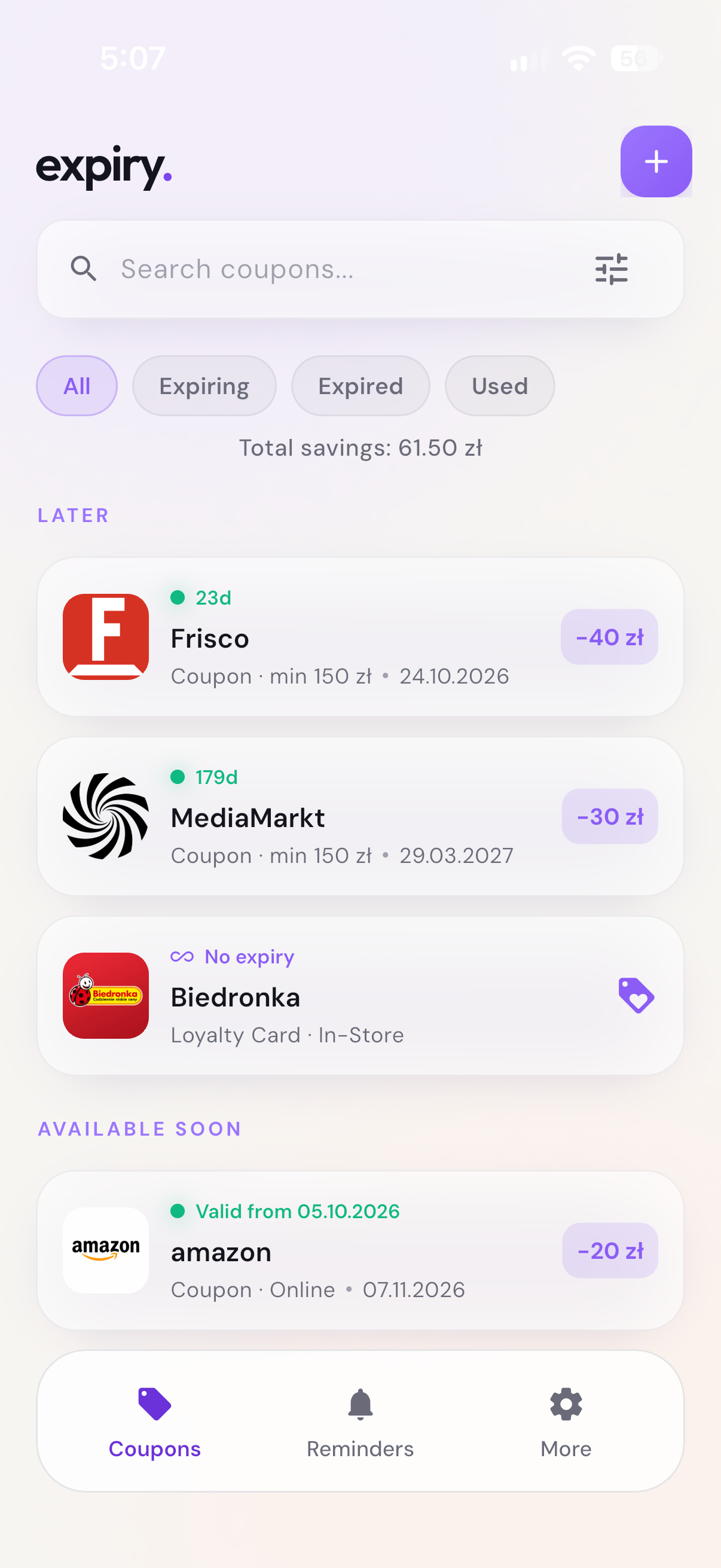
BEFORE YOU IMPORT
Keep the important bits visible.
Open the email, shop app or web page that contains your coupon. Take a screenshot that includes the promo code or barcode, discount, expiry date and any minimum-spend condition.
A clear, readable image gives recognition more to work with. If the message is long, focus on the coupon itself and keep the original email so you can check the full terms later.
Use a coupon you already received.Expiry organizes your existing coupons and vouchers. It does not generate discount codes or verify whether a shop will accept one.
TWO WAYS TO ADD IT
From Photos.
Or straight from Expiry.
METHOD 01Share from Photos
- Open the screenshot in Photos on your iPhone.
- Tap the iOS Share button and choose Expiry. If it is not visible, look under More.
- Let Expiry read the image, review the details, then tap Save.
The Share Extension uses your Expiry account. Sign in to the main app first; you do not need to open it before every import. If it asks you to sign in again, open Expiry and check your account.
METHOD 02Import inside Expiry
- Open Expiry and tap the + button.
- Choose Import from Photos and select your screenshot.
- Wait for recognition, check the Review details screen, then tap Save.
Prefer not to scan? You can also add the coupon manually.
AI HELPS. YOU HAVE THE FINAL SAY.
Check before you save.
Recognition can make mistakes. Compare the extracted details with the screenshot and the shop's original terms:
- Shop and type. Is it a coupon, voucher or another kind of card?
- Amount. Is the discount a percentage or a fixed amount? Check the currency shown too.
- Conditions. Look for minimum spend, the valid-from date, and online or in-store restrictions.
- Expiry. Make sure the day, month and year match the original.
- Code. Check every character. A saved screenshot does not make an expired or already-used code valid.
If important details are missing or wrong, correct the editable fields before saving. Keep any additional conditions in your notes, and keep the original message as a reference.
Use Currency to search by code, name or symbol if the detected currency is wrong. It applies to minimum spend too, including percentage coupons. Changing it does not convert amounts. Your Default currency in settings is a fallback when recognition cannot identify one; if you have not chosen a default, the device region is used, not the app language. You can also correct currency when editing a saved coupon.
THE PART A CAMERA ROLL CANNOT DO
Give the expiry date a reminder.
Open the saved coupon and tap Reminders. Choose Custom date & time, pick a future date and time on or before expiry, then tap Add Reminder. Allow notifications when your iPhone asks and check that the reminder was saved.
At checkout, open the coupon details to show the barcode or QR code, or use Copy Code for a text promo code. Once you have redeemed it, choose Mark as Used to keep your list organized.
Keep the original when the shop requires it.Each retailer decides whether it accepts a digital copy. Saving a paper coupon or bottle-return voucher in Expiry does not guarantee that the original can be thrown away.
 expiry